INSTRUCTIONS
MMU Boot order
MMU0 mainboots firstMM1,MMU2andMMU3boots at the same time afterMMU0
MEMORY LAYOUT
RAM layout.0x00 CLOCK_TIMESTAMP
0x04 MOUSE_X
0x08 MOUSE_Y
0x0C MOUSE_BUTTONS
0x40 NETWORK_STATUS
0x42 NUMBER_OF_CONNECTED_PEERS
0x50 NETWORK_ID
0x80 MODELVIEW_MATRIX
0xC0 PERSPECTIVE_MATRIX
0x0100 VERTEX_DATA
0x7900 COLOR_DATA
0xF100 INDICES
0x16900 USER_SPACEEDILG
CLEAR(OPCODE)
Clear the buffers with the OPCODE.0 - NONE
1 - EDGFRAMEBUFFER
2 - EDGZBUFFER
3 - EDGFRAMEANDZBUFFER
4 - EDGSTENCILBUFFER
5 - EDGFRAMEANDSTENCILBUFFER
6 - EDGZANDSTENCILBUFFER
7 - EDGFRAMEANDZANDSTENCILBUFFER
EXAMPLE
i32.const EDG_FRAME_AND_Z_BUFFER
call $edg_clear
IDENTITY
Set current matrix to identity matrix.EXAMPLE
call $edg_identityPERSPECTIVE(FOV,ASPECT,NEAR,FAR)
Set the current matrix to the perspective matrix calculated by the input.EXAMPLE
f32.const 45
f32.const 1
f32.const 0.1
f32.const 100
call $edg_perspectiveCLEARCOLOR(R,G,B,A)
Set the color that will be used to clear the color buffer on$CLEAR.EXAMPLE
f32.const 0.1
f32.const 0.2
f32.const 0.3
f32.const 1.0
call $edg_clear_colorCLEARZ(D)
Set the depth value to clear the z-buffer on$CLEAR.EXAMPLE
f32.const 1.0
call $edg_clear_depthCULLFACE(SIDE)
- 0 - EDGFRONT
- 1 - EDGBACK
- 2 - EDGFRONTANDBACK
EXAMPLE
i32.const EDG_FRONT_AND_BACK
call $edg_cull_face
ENABLE
EXAMPLE
ZCOMPARE(OPCODE)
EXAMPLE
TRANSLATE(X,Y,Z)
EXAMPLE
ROTATEX(ANGLE)
EXAMPLE
ROTATEY(ANGLE)
EXAMPLE
ROTATEZ(ANGLE)
EXAMPLE
RENDER(ADRRESSVERTICES, ADDRESSCOLORS, ADDRESSINDICES, NUM)
EXAMPLE
GRID
EXAMPLE
PROJECT
Projects part of the memory onto the grid.- FROMADDR
- TOADDR
- TARGET
EXAMPLE
CURSOR(ON/OFF)
0 - FESCURSOROFF1 - FESCURSORON (DEFAULT)
EXAMPLE
CURSORLOCK(ON/OFF)
0 - FESCURSORLOCKOFF (DEFAULT)1 - FESCURSORLOCKON
EXAMPLE
Math
Math
All MMU's have full vector operation support.Scalar ops
Cos
call $edg_cosSin
call $edg_sinTan
call $edg_tanRandom
call $edg_randRandom seed
call $fes_set_seedVector ops
Add
v128.const 1 2 3 4
v128.const 8 7 6 5
v128.add
Sub
v128.const 1 2 3 4
v128.const 8 7 6 5
v128.sub
Scale
v128.const 1 2 3 4
f32.const 2
v128.splat
call $edg_scale
Cross
v128.const 1 2 3 4
v128.const 5 6 7 8
call $edg_vec_cross
Dot
v128.const 1 2 3 4
v128.const 5 6 7 8
call $edg_vec_dot
Length
v128.const 1 2 3 4
call $edg_vec_length
Normalize
v128.const 1 2 3 4
call $edg_vec_normalize
Matrix ops
All matrices are represented as four v128 a, b, c, d[
a0 a1 a2 a3
b0 b1 b2 b3
c0 c1 c2 c3
d0 d1 d2 d3
]Identity
call $edg_mt_identityTranslation
f32.const 1
f32.const 2
f32.const 3
call $edg_mt_translation
Perspective
Rotation x-axis
Rotate the modelviewf32.const 3.1415
call $edg_rotation_xRotation y-axis
Rotation z-axis
Network
0 - CONNECTINGORNOTCONNECTED 1 - CONNECTED 2 - FAILEDTOCONNECTFES Editor window system
All windows can be minimized by clicking the top right corner. Some windows can be resized by draging the lower right corner.Windows
Ed

The MMU button is the selector for which MMU to manipulate source code for in the editor. The color of the button indicates the compile status of each MMU.
- Green, compiled and running
- Red, syntax error and is running a previous version
EDG
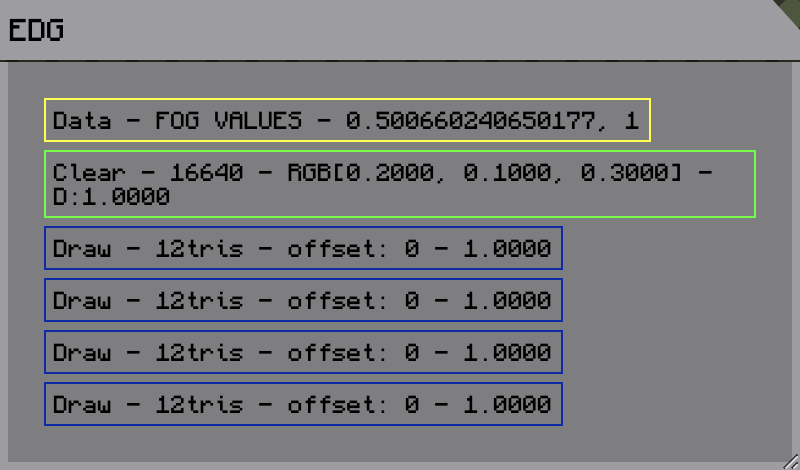
Displays all the graphics commands being submitted to the graphics chip.
Editor
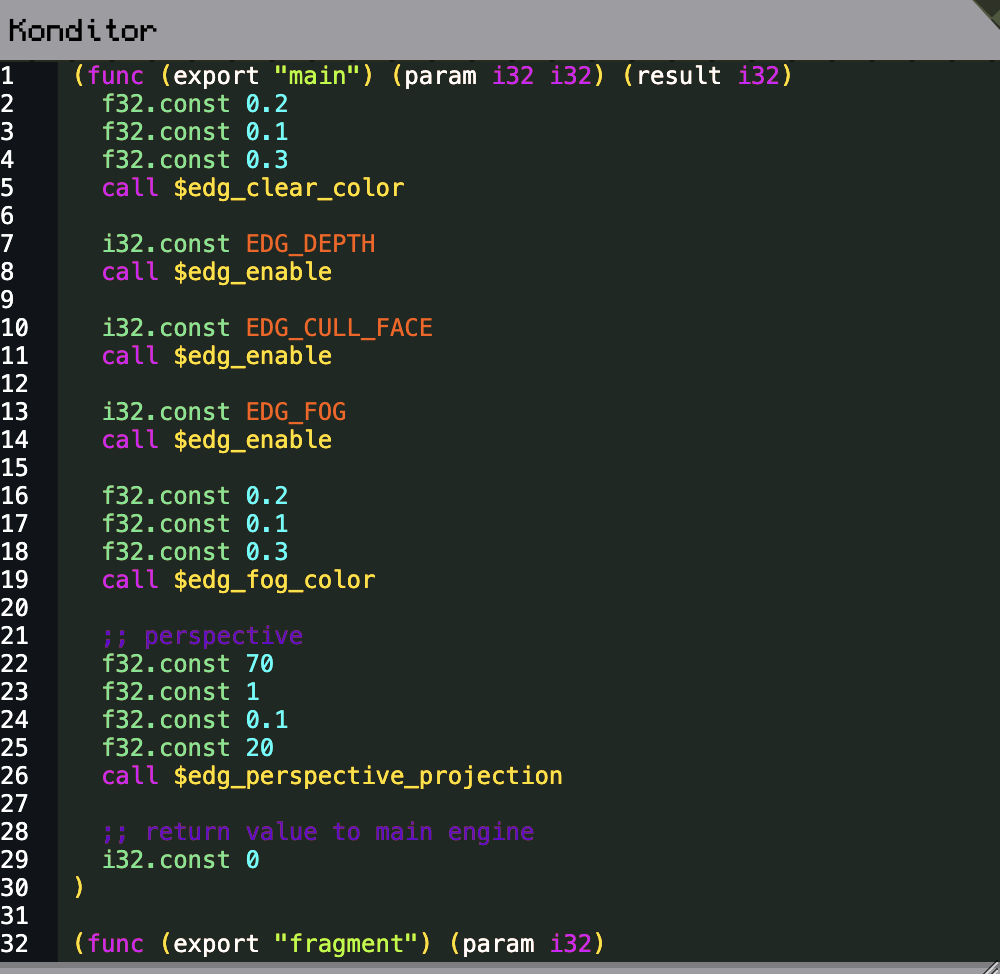
Source code editor.
Grfx
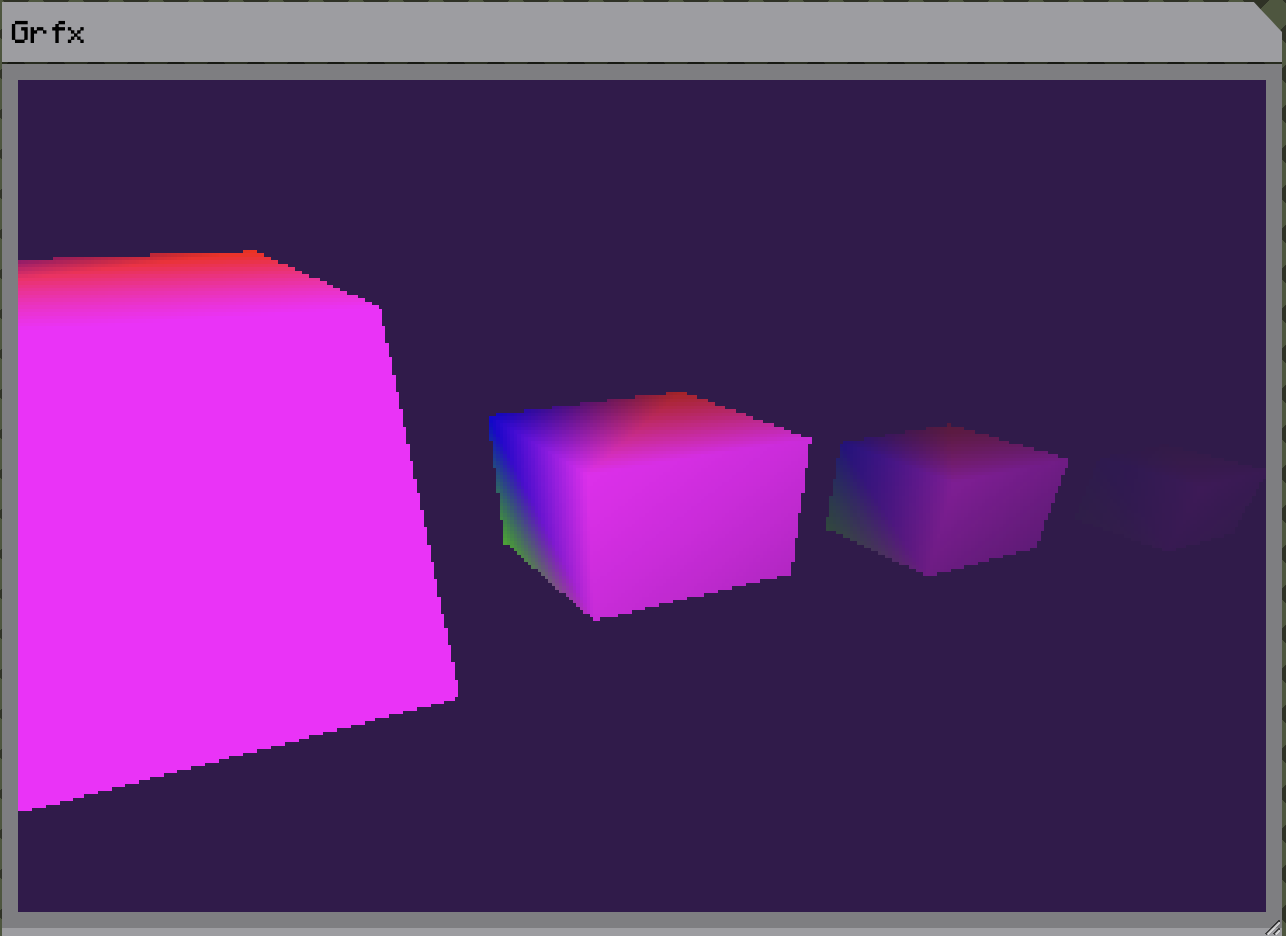
The screen.
Ctrl
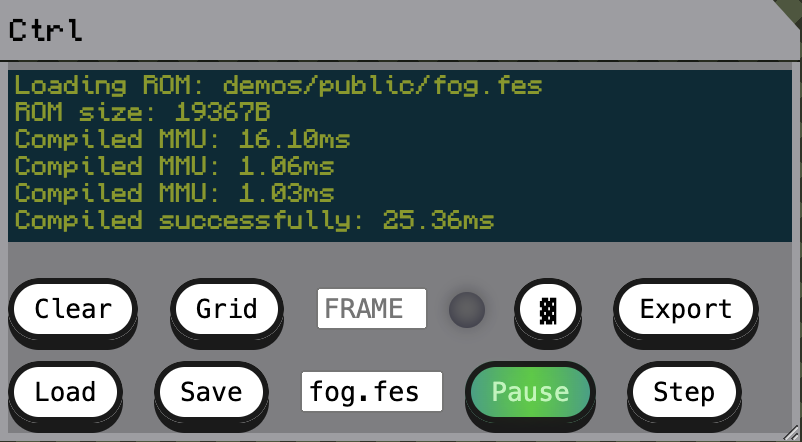
Control panel.
- Logs
- Controls the grid connection
- Loading model data into memory
- Loading ROMs
- Pausing and stepping frames in the grfx window
- Export executables
Memory
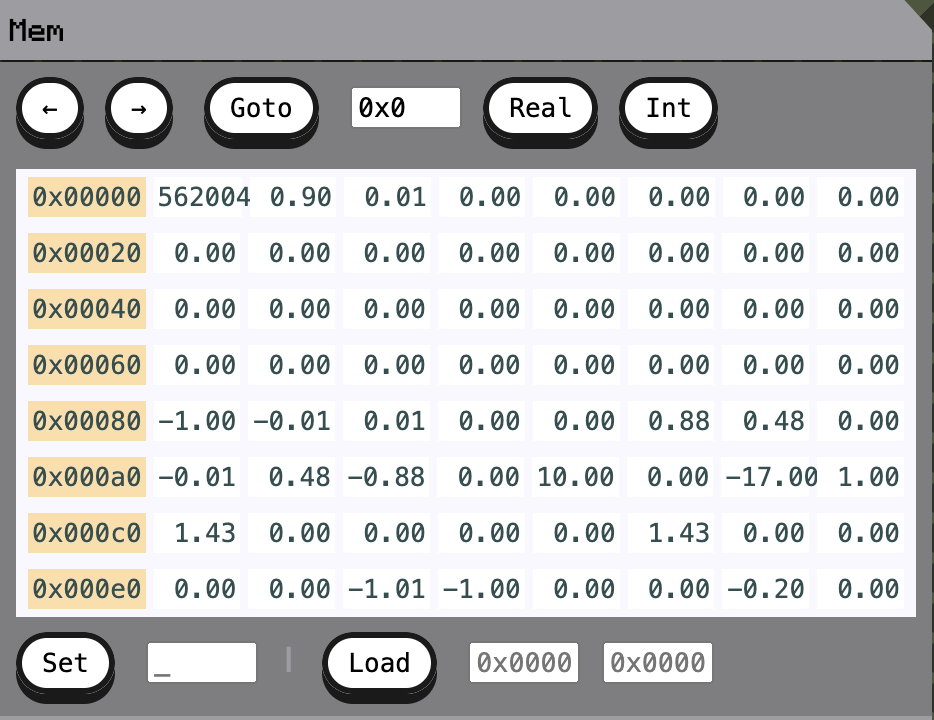
Memory view
- Load memory
- Set memory
- Inspect values
Sprak
Voice commands for grid.